
Checkout progress bar for Shopify Plus
The same bar, in the order summary of the checkout: same tiers, gift still selectable, and a Remove button on gift lines. Two blocks you place in the checkout editor. Included in every plan — Shopify reserves checkout customisation to Shopify Plus.
From the cart to the payment page.
Cart / checkoutThe bar counts down in the cart drawer, the cart page and the product page. That part works on every Shopify plan.
On Shopify Plus, the block sits in the order summary with the same tiers and the same chooser: the shopper never loses sight of what one more item unlocks.
Two blocks, five steps, three layouts.
You place two blocks
In the checkout editor: “Progress bar” in the order summary, and “Remove button” under the cart lines. The second one is what puts a Remove on a gift line.
You choose the steps
Information, shipping, payment, review, and the checkout page itself: each step is a switch. Show the bar where it helps, hide it where it distracts.
You choose the layout
Stacked, one tier at a time, or side by side — and what the block shows: tier name, amount, success message, reached and unreached tiers.
One threshold per country, in its own currency.
A tier can carry its own amount for each Shopify market, and an exception for a country inside a market. Left alone, the amount follows the conversion the storefront serves.
Thresholds per market →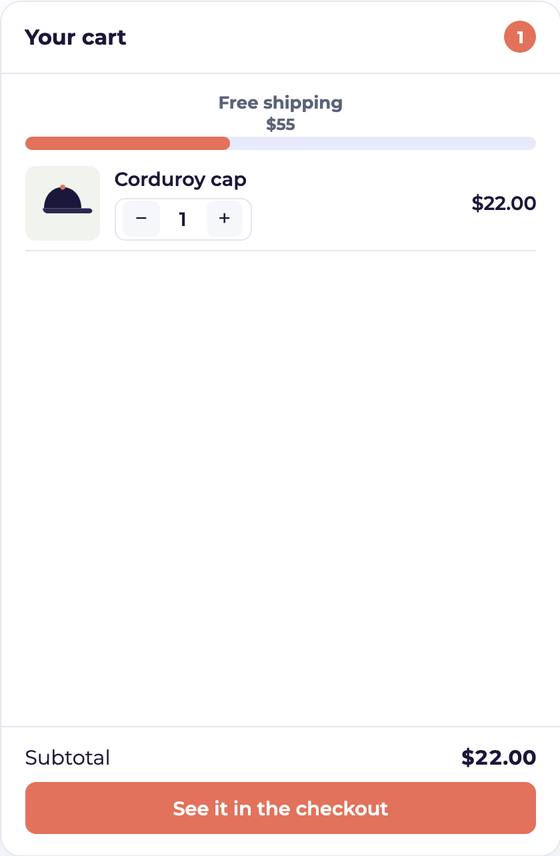
The checkout bar, the questions.
Do I need Shopify Plus?
For the checkout, yes: Shopify reserves checkout customisation to Shopify Plus. The bar itself works in the cart, the cart drawer and the product page on every Shopify plan, and the checkout extension costs nothing more — it is in every Yaco plan.
Can the shopper still choose a gift in the checkout?
Yes. The chooser follows, as a list or behind a button, and the variant they pick replaces the previous one without leaving the payment page.
Why is the Remove button missing from my gift lines?
Because it is a second block: it has to be placed under “Cart · Items in cart” in the checkout editor. Turning the setting on is not enough on its own.